Saving an Exam
After previewing the exam and answer sheets, you can save the exam by clicking the Save Exam button. The page will change as follows:
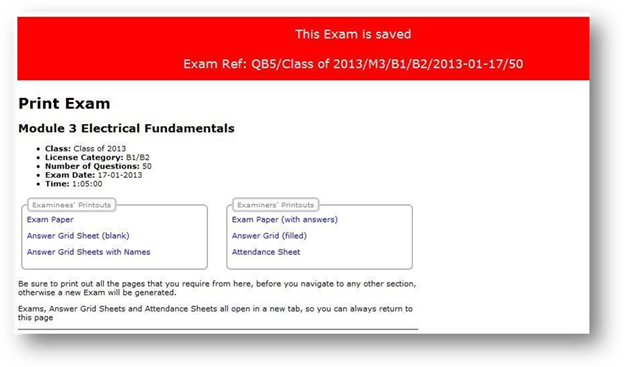
This will permanently save the exam and the attendance sheet.
The Attendance Sheet can now be printed out. This is a useful sheet for checking which examinees are present on the day of the exam, and you can tick them as present, on the sheet.
It cannot be modified after it has been saved. It can however be deleted at this stage by clicking the Manage Exams button on the main menu, and selecting the exam for deletion. After exam results have been entered for this exam, it can never be deleted. This is an EASA Part-147 approval requirement.
After being saved, the exam will be given an Exam Reference such as:
QB4/tdf2012/M11A/B1.1/2012-01-03/130
This Exam Reference includes a sequential number (e.g. QB4), the Class (e.g. tdf2012), the Module (e.g. M12), the Licence Category (e.g. A3), the Exam Date (e.g. 2012-08-14) and the number of questions (e.g. 90)
Related Topics
Copyright (c) 2012 Total Training Support Ltd